

API quick start
BluBubl API enables developers to send iMessage text and media messages, and create custom iMessage flows in a very straightforward and user-friendly way.
Getting an API key
Once you get the BluBubl account, you can access its API key in the API console. Note that you will need to log in in order to be able to access it.
Sending a text message
To send a text iMessage, you can send the following POST request with tool of your choice (like Postman), or use any of the programming languages that support REST API calls.
Using API
POST https://blububl.com/api/send-sms
Headers
Content-Type*
The value should be "application/json"
Authorization*
The value should be "Bearer API_KEY", where API_KEY is the API key that you have registered in the API Console
Request Body
phone_number*
String
Recipient phone number, with country prefix. E.g. +11234567890
text*
String
Message body
sim_card_id
Number
(Optional) Id of the iMessage virtual SIM that you want to send the message from. Can be found in the Devices Console, by clicking on the device having the SIM card you need
OTP / Phone verification
Besides sending SMS, BluBubl API can automate one-time-password (OTP) verification for phone numbers. The pricing for OTP verification is the same as sending a normal SMS, but we give OTP messages higher priority and faster delivery times.
The main perk of using our solution for verifying phone number is the removal of need to store the valid codes in your database, since we can verify codes for you.
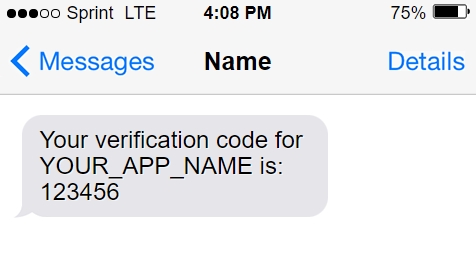
To send a verification SMS, you can send the following POST request with tool of your choice (like Postman), or use any of the programming languages that support REST API calls.
Using API
POST https://blububl.com/api/send-code
Headers
Content-Type*
The value should be "application/json"
Authorization*
The value should be "Bearer API_KEY", where API_KEY is the API key that you have registered on the API Console
Request Body
phone_number*
String
Recipient phone number, with country prefix. E.g. +11234567890
service_name
String
Your name to be shown in the message
sim_card_id
Number
(Optional) Id of the SIM card that you want to send the message from. Can be found in the Devices Console, by clicking on the device having the SIM card you need
Check if the code is valid
After you have sent the one-time-password to your user, you can prompt him to enter the code in your website or application. After he has entered the code, you can use the /verify-code endpoint, to check if it is valid, without having to store the code locally.
Using API
POST https://blububl.com/api/verify-code
Headers
Content-Type*
The value should be "application/json"
Authorization*
The value should be "Bearer API_KEY", where API_KEY is the API key that you have registered on the API Console
Request Body
phone_number*
String
The phone number that you would like to verify
code
String
The OTP code to verify
Update contact tag
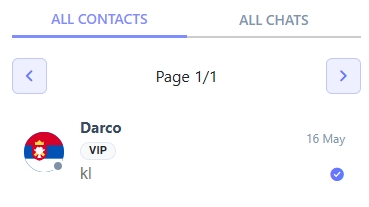
You can use BluBubl API to update contact tags. Contact tags allows you to track status of communication with them (e.g. cold/warm), and can be shown in the Chat app. Besides the chat app, they are also received as a part of Received Message Webhook, and each change of tag triggers the Tag Update Webhook.
Using API
POST https://blububl.com/api/update-contect-tag
Headers
Content-Type*
The value should be "application/json"
Authorization*
The value should be "Bearer API_KEY", where API_KEY is the API key that you have registered on the API Console
Request Body
phone_number*
String
The phone number that you would like to update the tag for
tag
String
Tag to set for your contact
Last updated